
Rebuilding what you already collected
Every matter starts the same: re-entering asset data from financial disclosure forms your clients already filled out. That time is billed to a client or written off.
Solutions · Family Law
Celestial Divide models asset allocation scenarios to your target split, calculates net equalization including liabilities, records tax and liquidity considerations, and produces a client-ready report built for mediation — without a spreadsheet in sight.
Free to start, no credit card · Click through the product below
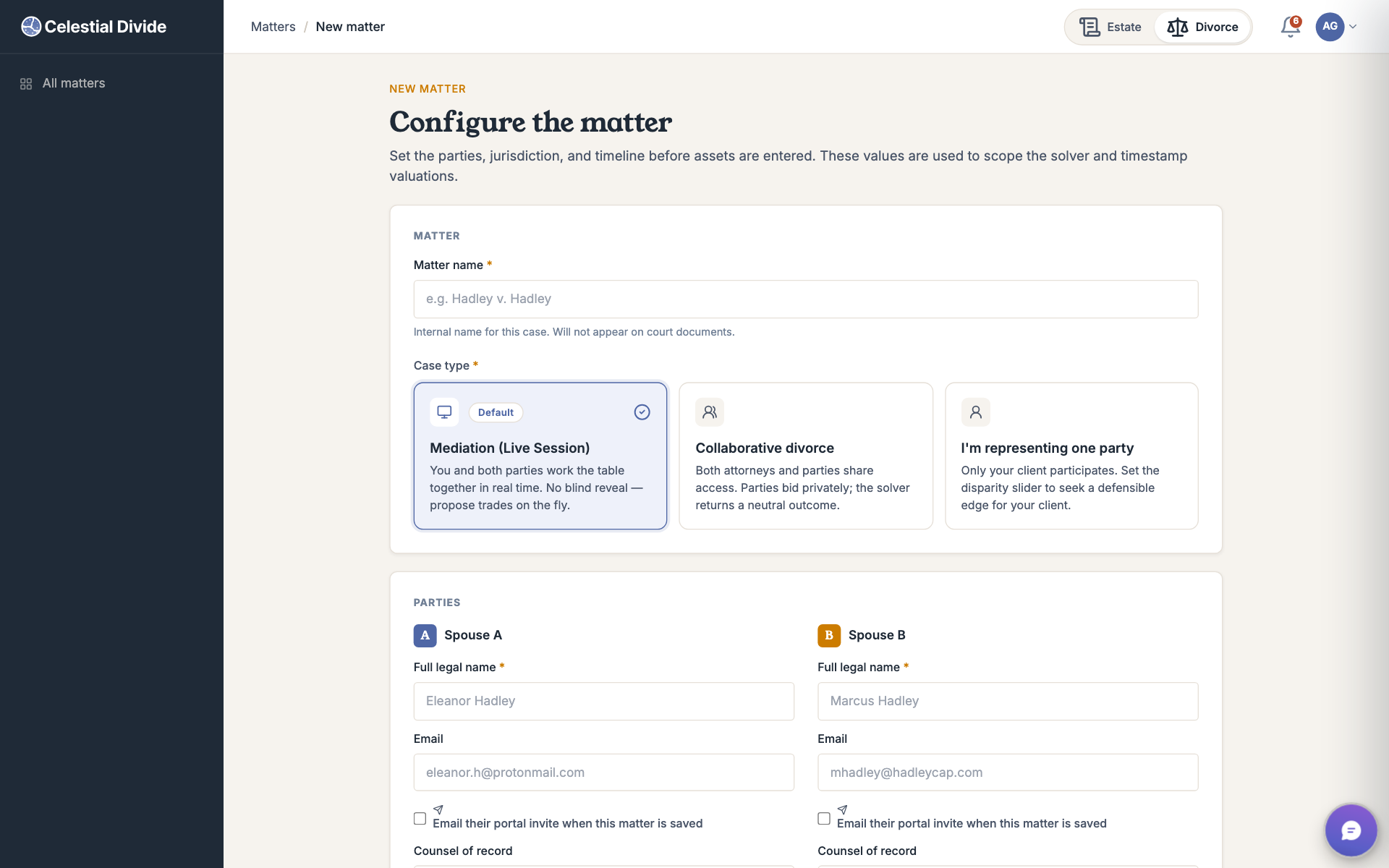
Step 1 of 8
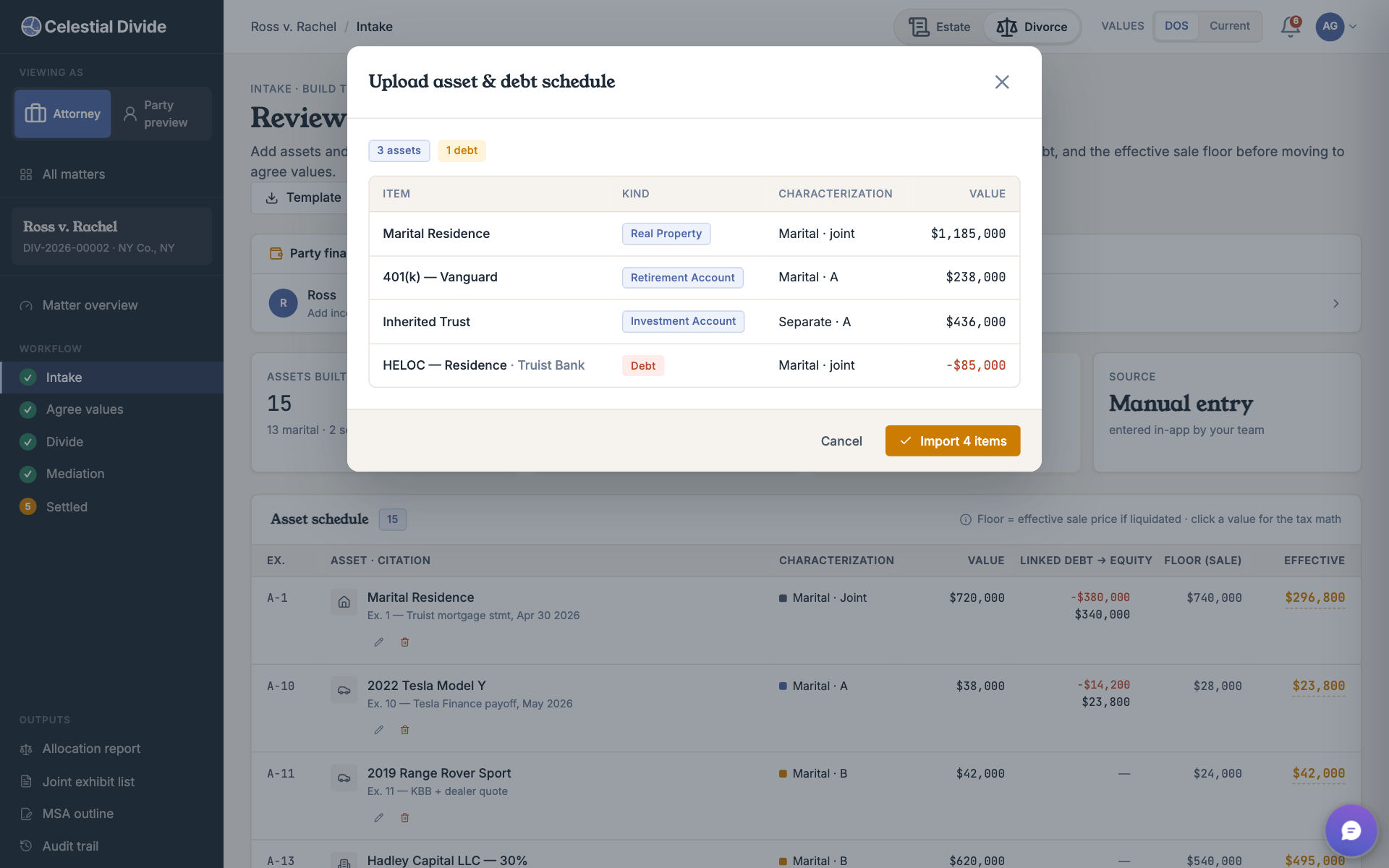
Step 2 of 8
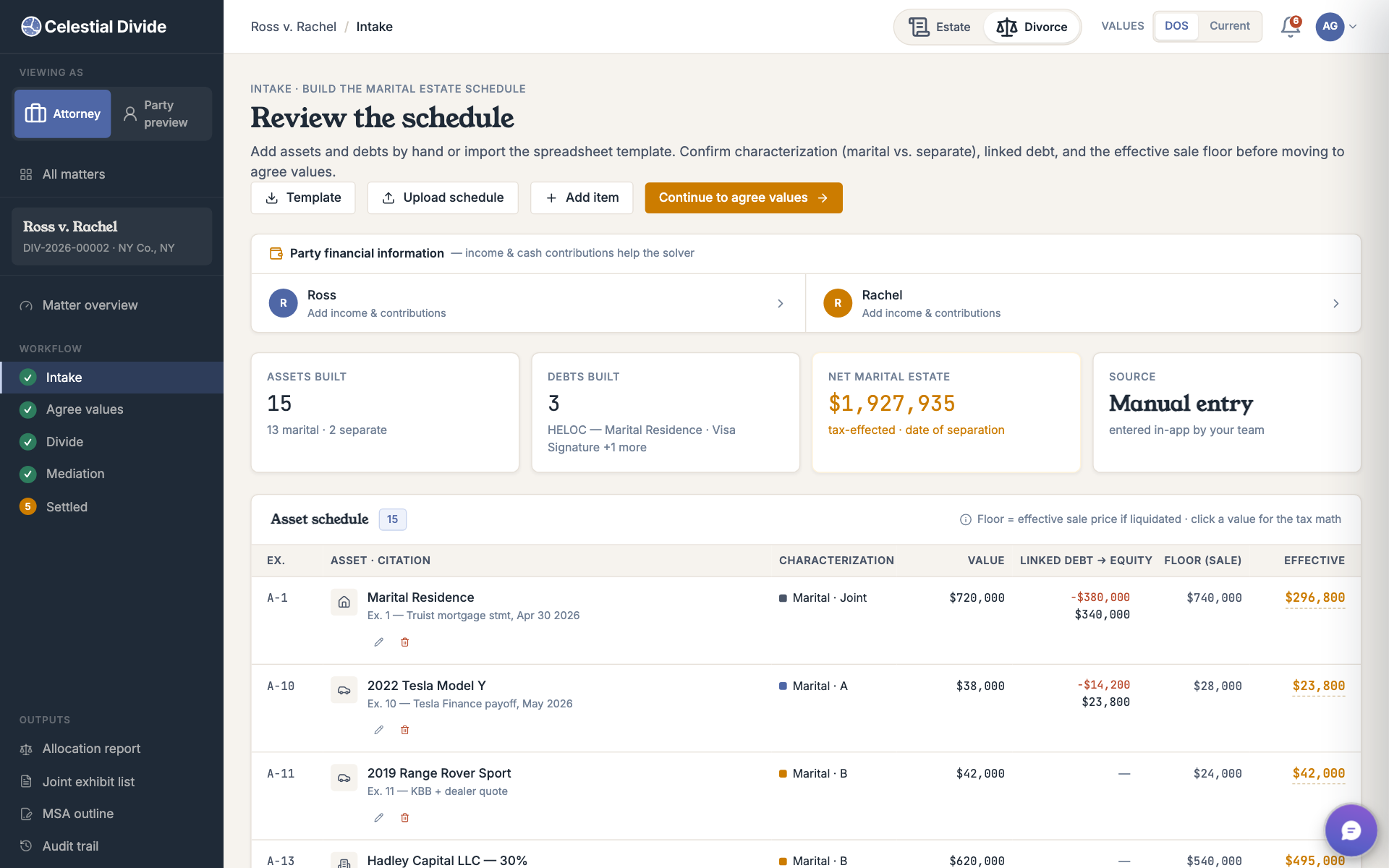
Step 3 of 8
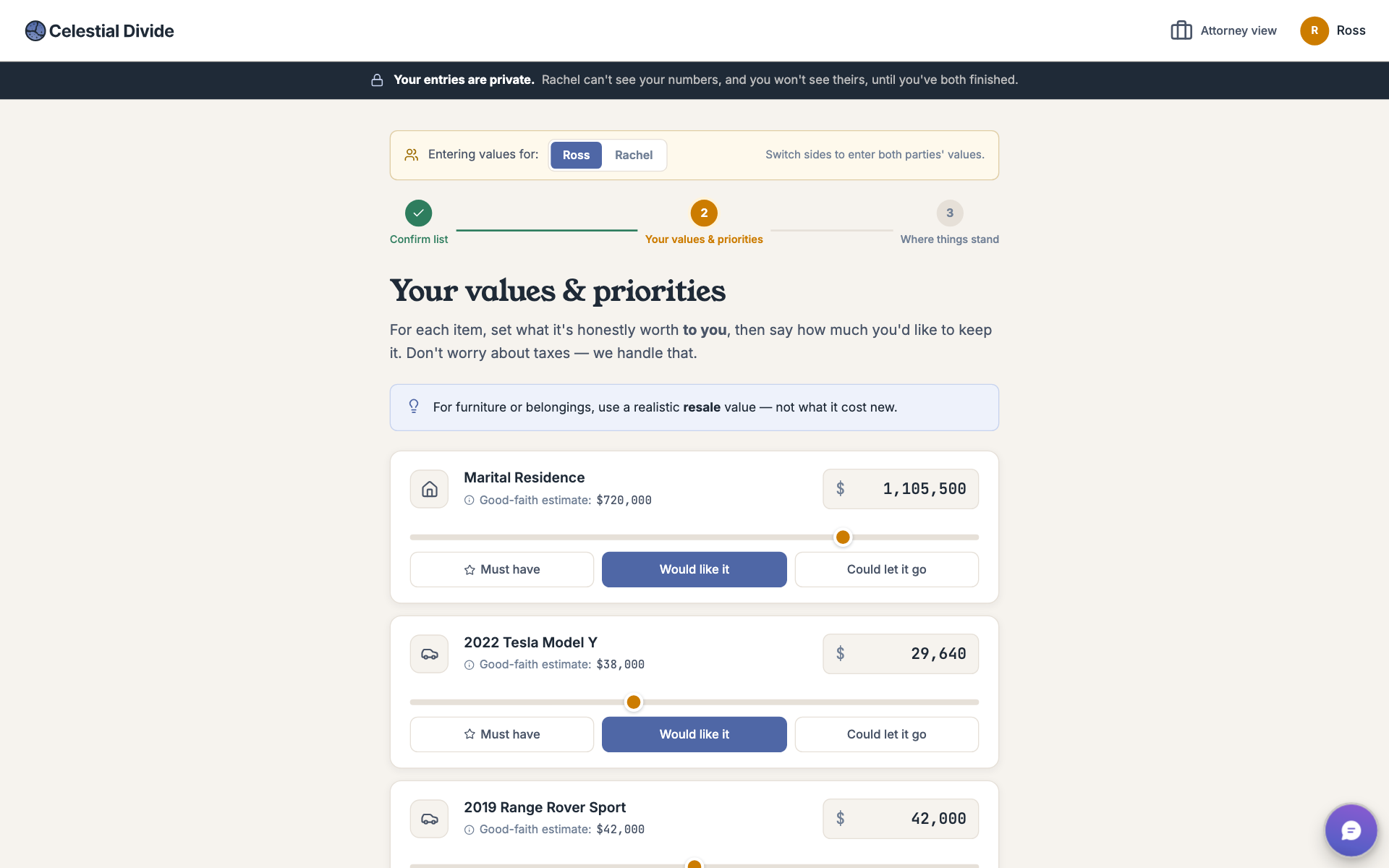
Step 4 of 8
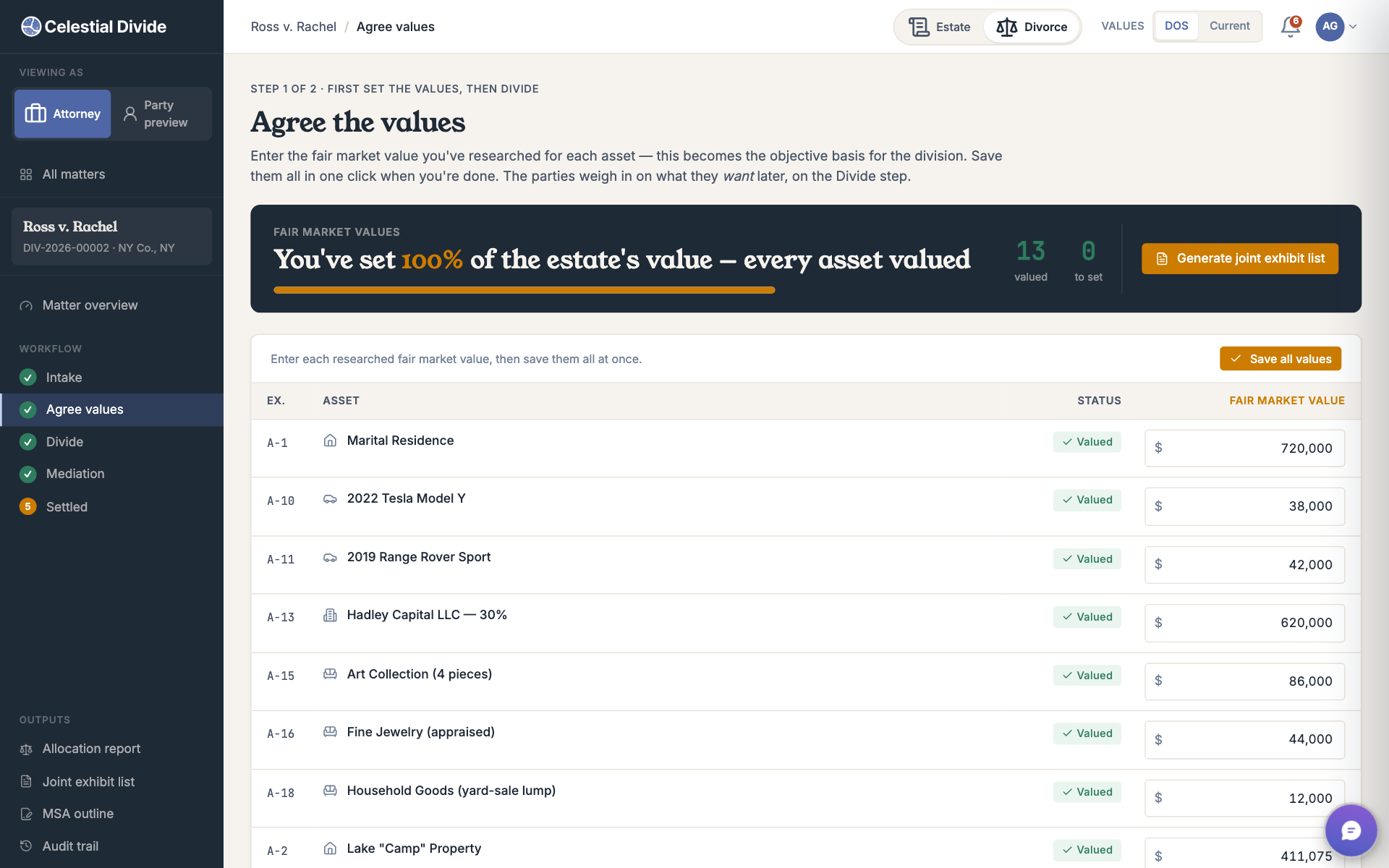
Step 5 of 8
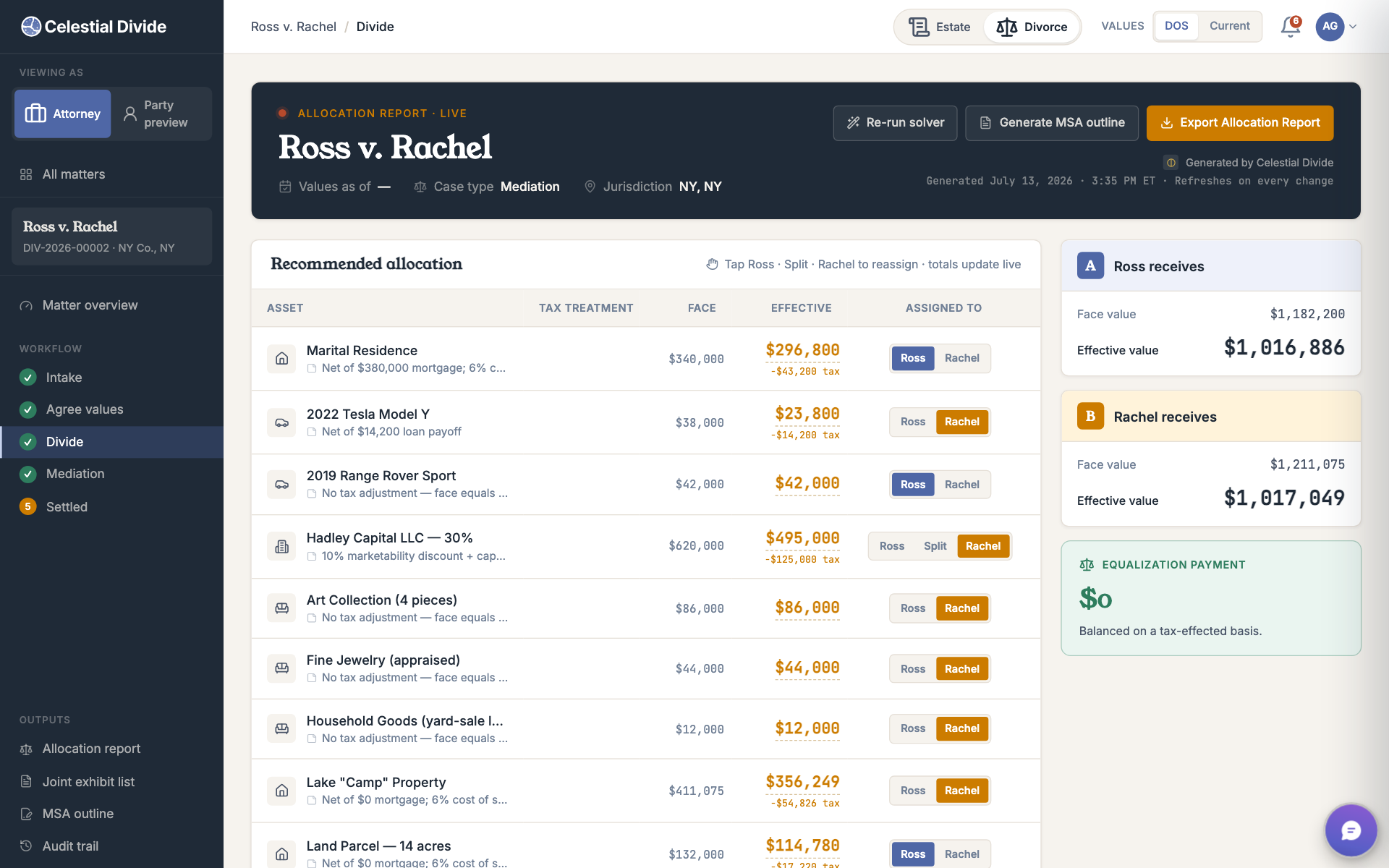
Step 6 of 8
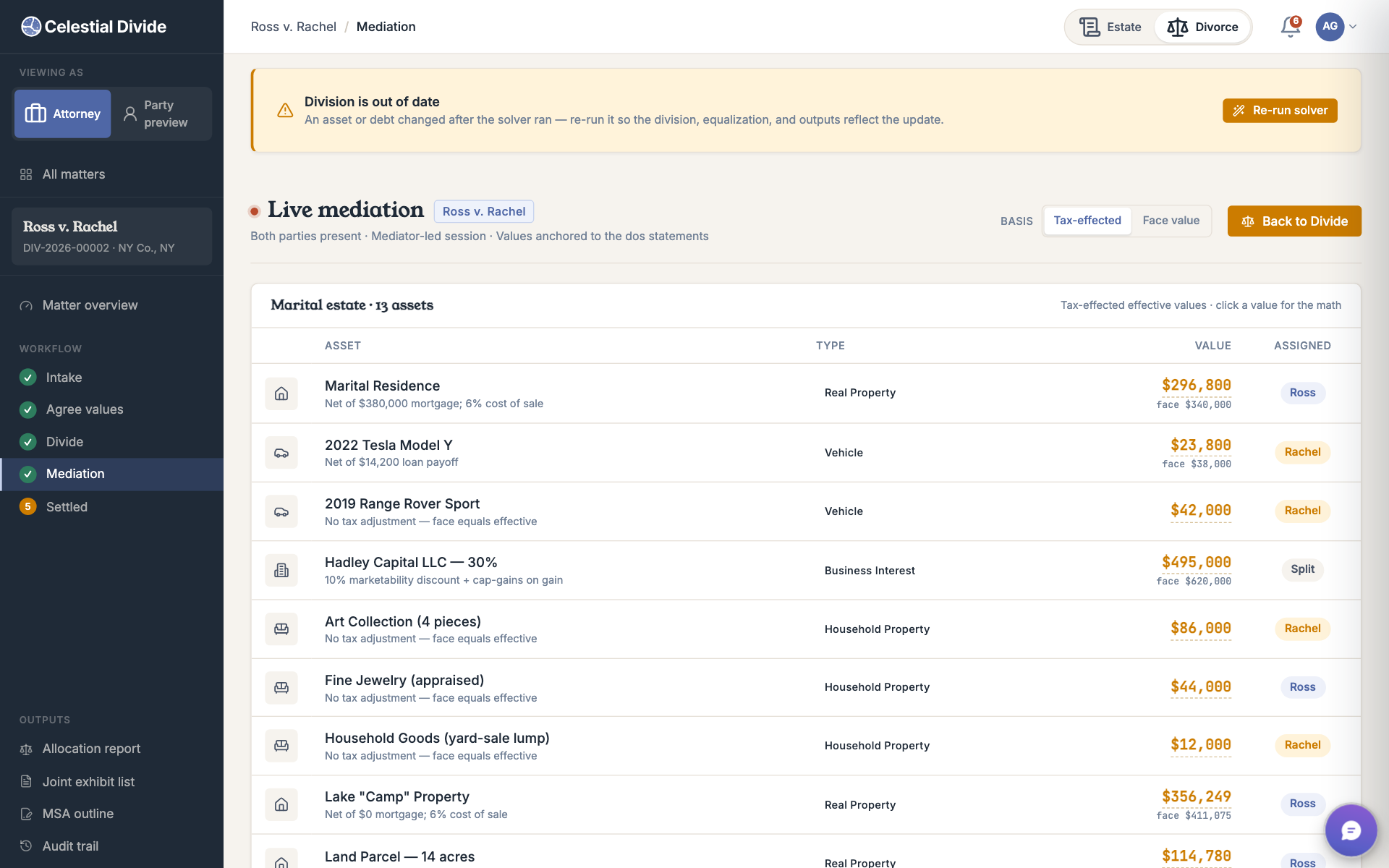
Step 7 of 8
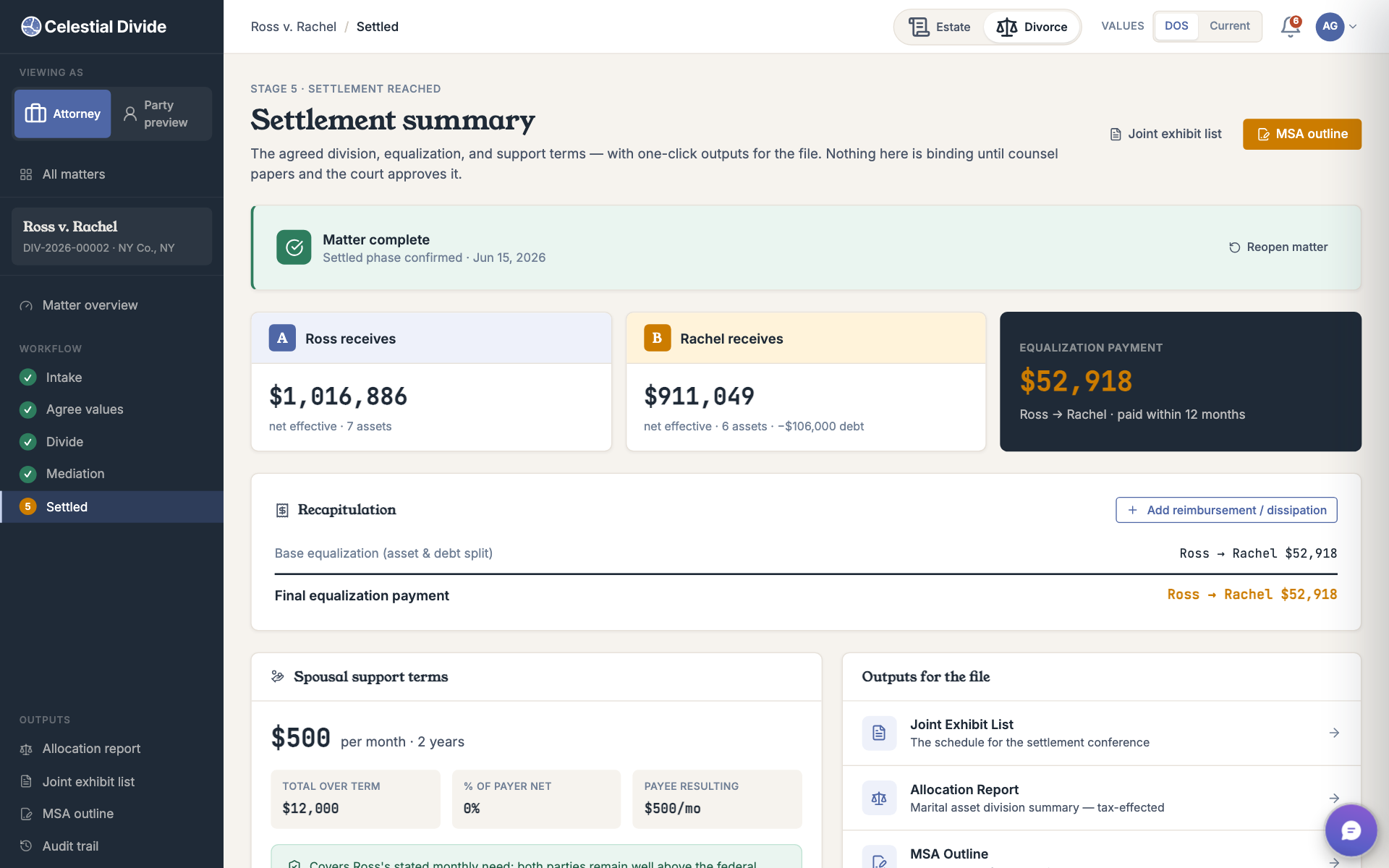
Step 8 of 8
The gap in your current stack
Every matter starts the same: re-entering asset data from financial disclosure forms your clients already filled out. That time is billed to a client or written off.
Equitable distribution can require more than an even split. Scenario modeling makes it easier to compare workable combinations instead of settling for the path of least resistance.
Mortgages, reimbursement claims, attorney fees, and shared liabilities belong in the same working calculation as the assets.
A brokerage account and a retirement account are not equivalent at the same face value. Record QDRO, tax, and liquidity considerations while the division is being modeled.
How it works
The process mirrors the work you already do, while keeping the inventory, values, scenarios, and documented output in one matter.
Set the case context, parties, counsel, and permission approach for the matter.
Import a schedule or enter assets and debts directly, then work from one current balance sheet.
Each party can provide their view of value and priorities without seeing the other's unfinished inputs.
Compare who keeps what, divisible interests, target splits, liabilities, and equalization payments.
Carry a documented working scenario into discussions with counsel, the parties, and financial professionals.
Reassign assets at the table and keep totals and equalization current as the discussion changes.
The fairness engine
Celestial Divide can use each party's stated values and priorities to compare allocation scenarios, while counsel retains judgment over the legal and financial inputs.
The same home, account, or business interest can carry different value for each party.
Assets, liabilities, and cash equalization remain part of the same working scenario.
Entered values and scenario choices remain available for review instead of disappearing into spreadsheet versions.
What you get
Compare split configurations against a target percentage and equalization result.
Keep mortgages, shared debt, and reimbursement claims beside the assets they affect.
Record tax, retirement-account, QDRO, and liquidity considerations for counsel to review.
Give parties a structured place to provide values and priorities under the selected permission mode.
Keep allocation inputs and results together for mediation and professional review.
Bring both parties' submitted values into one comparison so the remaining gaps are clear.
Where Celestial Divide fits
This is a pre-settlement modeling tool, not a replacement for your forensic analyst.
Your financial experts handle contested valuations and expert testimony. Celestial Divide helps structure the inventory, compare scenarios, and document the working division before settlement.
Coming soon
Clio document import is planned, not active today. Excel/CSV import and manual entry are available while that integration is in development.
Trust and control
Matter roles and structured inputs help attorneys keep participation focused while preserving a reviewable record.
Use the matter's permission approach to control how attorneys and parties participate.
Collect each party's unfinished inputs without exposing them to the other side.
Keep discussion tied to inventory items, submitted values, and working scenarios.
Preserve the inputs and scenario choices used to reach the working division.
Pricing
Every paid tier retains the existing divorce capabilities and collaborators. Choose by your combined number of open estates and divorce matters.
Save up to 16% on annual
For solo family-law attorneys and independent mediators.
Billed annually · save 15%
Billed monthly · cancel anytime
For small family-law firms and mediation practices.
Billed annually · save 16%
Billed monthly · cancel anytime
For multi-attorney family-law firms.
Billed annually · save 16%
Billed monthly · cancel anytime
For regional and national family-law firms.
Begin here
Create your account, then choose the organization plan that fits your open caseload.
No credit card to create an account.